> ## Documentation Index
> Fetch the complete documentation index at: https://docs.growthmention.com/llms.txt
> Use this file to discover all available pages before exploring further.
# Reading the answers
> Read every AI answer Growth Mention collected, with the brands it named and the sources it cited.
Every number in Growth Mention is built from answers, and every answer is kept in full. The **Responses** page is where you read them — it's the fastest way to understand *why* a number is what it is.
A percentage tells you that you slipped. The answer tells you what the assistant said instead, and which pages it leaned on to say it.
## Finding answers
**Responses** lists every answer collected for the project, newest first. Narrow it by **model** and by **segment**.
To read the answers to one question, click the prompt — on the dashboard or on the **Prompts** page. Its page has three parts:
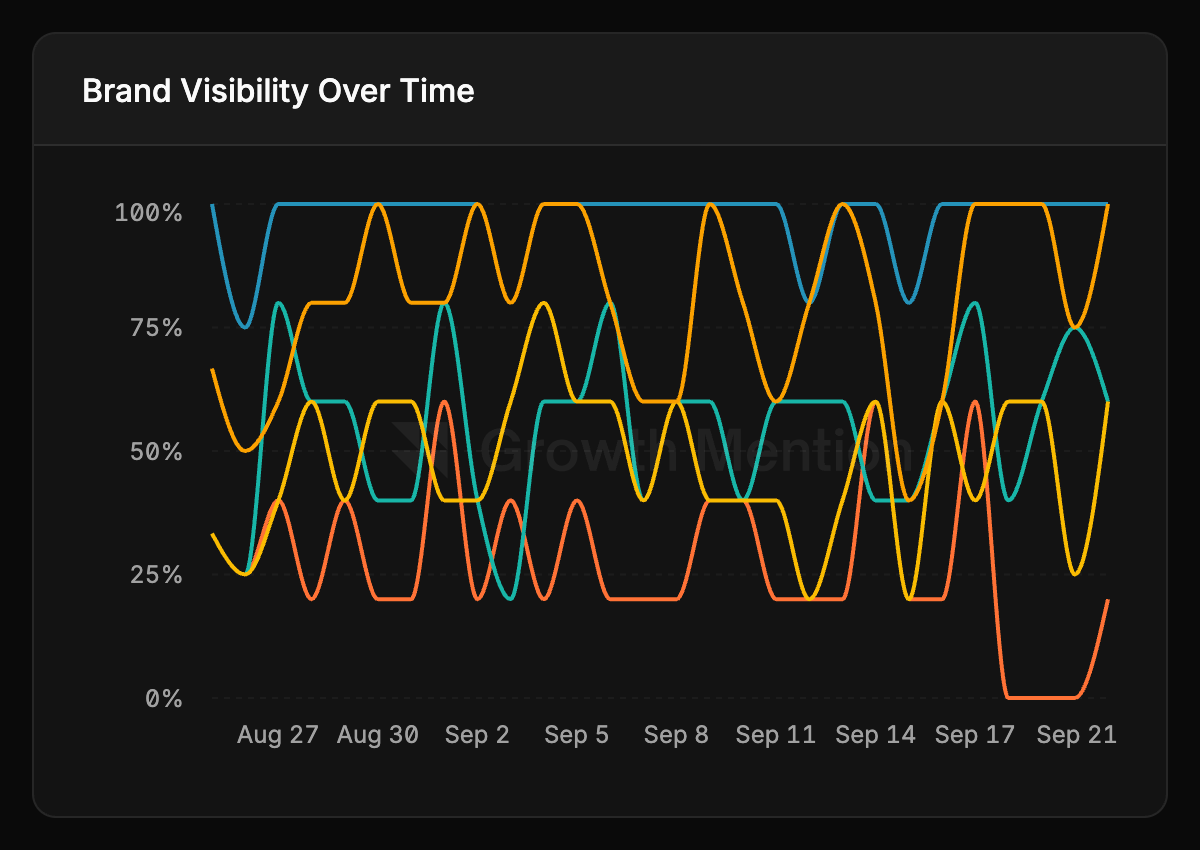
* **Brand Visibility Over Time** — for this prompt alone, one line per assistant.
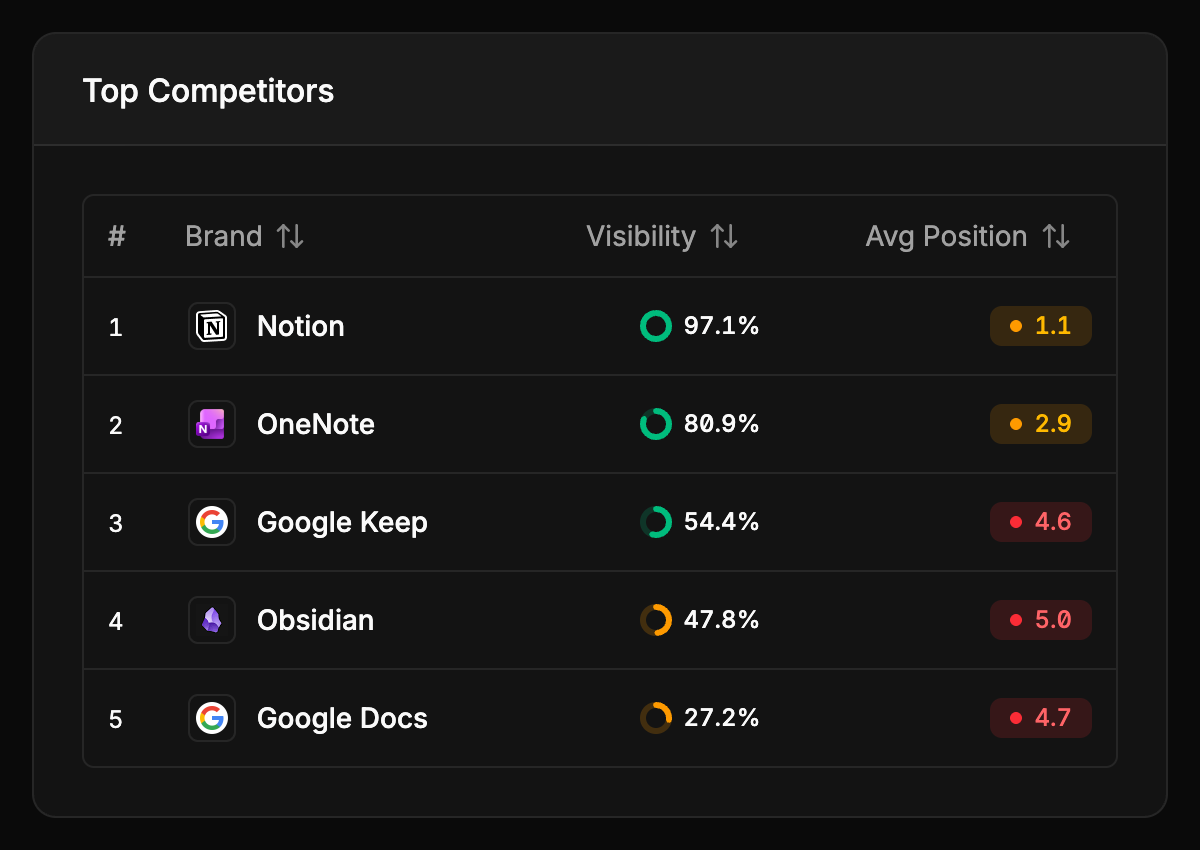
* **Top Competitors** — the brands this one question brings up, with their visibility and average position on it.
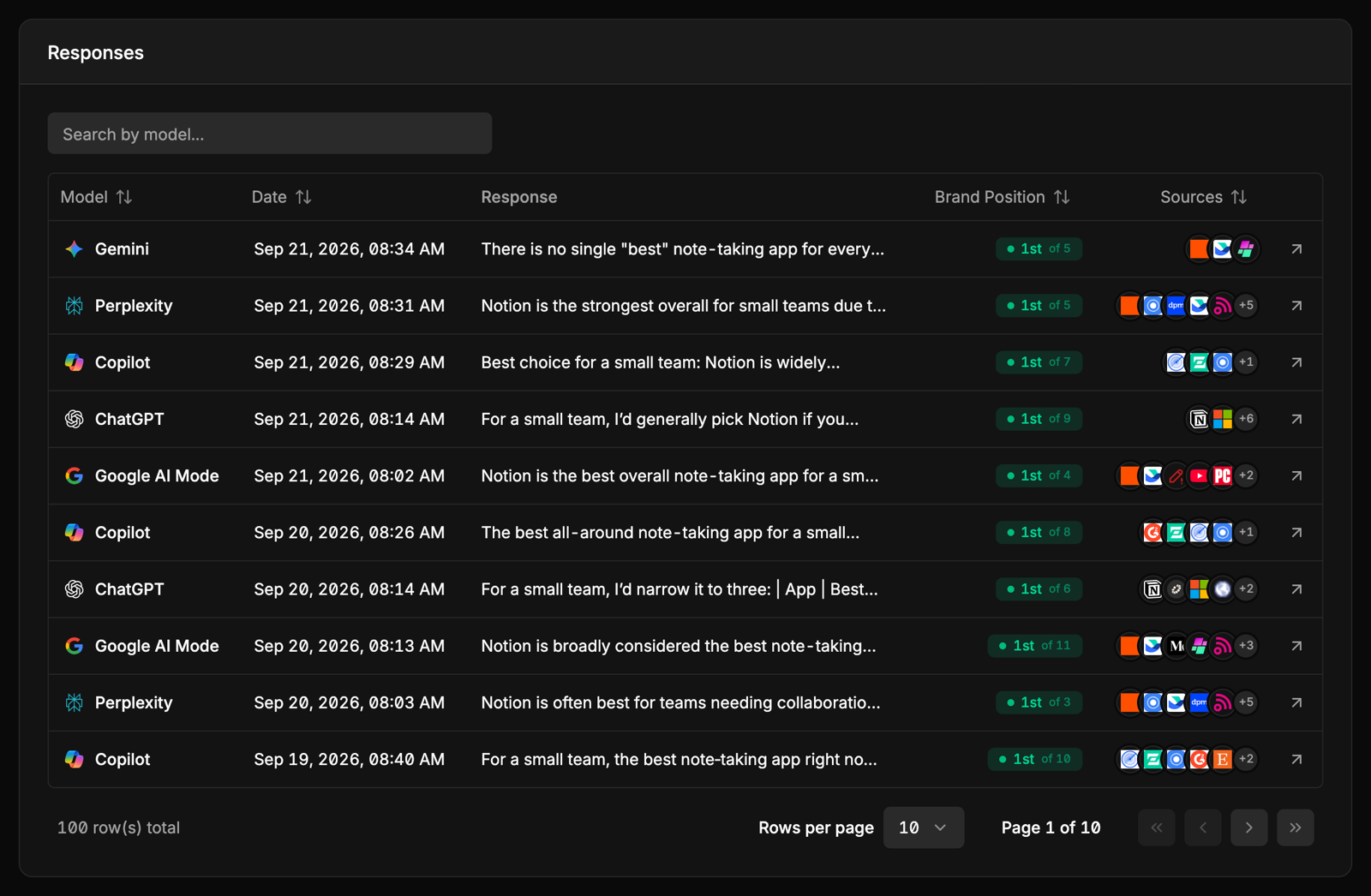
* **Responses** — every answer it received, newest first, with your position in each and the sources it cited. Click one to open it.
## One answer, in full
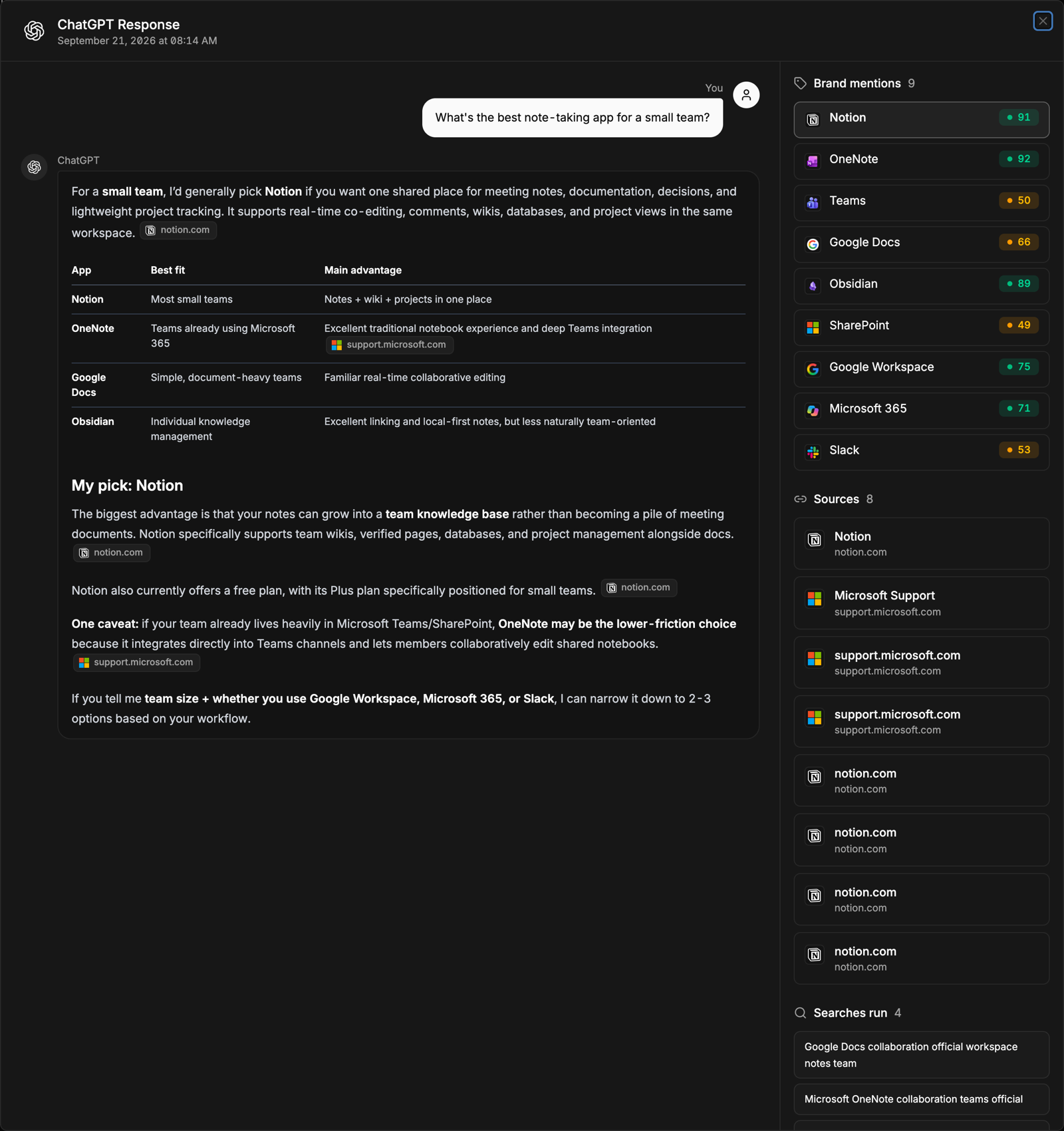
Opening an answer shows it the way the assistant gave it:
* **The question and the answer** — your prompt, then the assistant's full response, formatted as it was.
* **Sources inside the text** — where the assistant cited a page, the citation sits in the sentence that used it, so you can see exactly which claim came from which site.
* **Brand mentions** — every brand the answer named, in the order it named them. Beside each is that brand's [sentiment score](/metrics/sentiment-and-stance) across your project over the last 28 days, so you can tell whether how it's treated here is typical.
* **Sources** — the full list of pages cited, with their titles.
* **Searches run** — for ChatGPT, the web searches it ran before answering. See [Query fan-outs](/guides/query-fanouts).
## What to look for
Look at the **Sources**. The assistant built its shortlist from those pages — if you're not on any of them, that's usually why you're not in the answer.
Open the **Sentiment** page. For each brand it quotes the sentence that shows how an answer treated it, so you can put the line that recommended a competitor next to the one that only listed you. The difference is usually a specific claim — price, a missing feature, a use case — that you can address on your own site and on the sites being cited.
Read a few answers where you'd expect to be named and check how they refer to you. An answer that calls you by an abbreviation or a former name doesn't count until you add it as an [alias](/setup/brands-and-competitors#how-your-own-brand-is-recognised).
Responses that failed — empty, or a refusal like *"I'm having trouble responding right now"* — aren't counted in any metric. See [What counts as an answer](/how-it-works#what-counts-as-an-answer).